



(Updated 23rd April 2023, Sunday) Dear class, given the amount of labwork for Operating System Essentials (OSE) and with our Practical Assignment (40% module weightage) happening in a few more weeks, I have begin to record the flow of some of the labwork.
This is for your self/group studies and revision as I noticed a number of you catching up at different paces in class. I also noted some of the faster students helping your fellow classmates, so good work looking out for each other.
The updated list of recorded labs (last updated: 20/4/2023) can be found here:
- 10.2.1.8 Lab – Create a Partition in Windows. Ref: https://connectiteedu.sharepoint.com/:f:/t/QH2301B-KnowledgeSeekers/EheAdIvq3LtMp1DV-ESVbGwB7jRtSzEdFJmLmsVaxSC4sA?e=NDM9FN
- 10.3.1.4 Lab – Finalize the Windows Installation. Ref: https://connectiteedu.sharepoint.com/:f:/t/QH2301B-KnowledgeSeekers/EsNLYyffjqJCkeh-z7xQeTwBuIAkIKPnrS0zP12ilsgDVw?e=zdZz5i
- 11.1.3.4 Lab – Work with Task Manager. Ref: https://connectiteedu.sharepoint.com/:f:/t/QH2301B-KnowledgeSeekers/EiPfprk4NqdEoddzlMnKTsQBNUOnayiKzjIcxKQXJp1tDg?e=9dviv8
- 11.1.4.11 Lab – Working with File Explorer. Ref: https://connectiteedu.sharepoint.com/:f:/t/QH2301B-KnowledgeSeekers/EnjTlirUI_tIhcReRGn9U_IBMGK9XxO8XmH0ig5Ou-FM3A?e=RJOir7
- 11.2.2.3 Lab – User Accounts. Ref: https://connectiteedu.sharepoint.com/:f:/t/QH2301B-KnowledgeSeekers/EtPbsadSi99AjY7ykKmU4nYBRalve9Ms9g7GhvFlqUyzBA?e=OhRyvW
- 11.2.6.2 Lab – Use Device Manager. Ref: https://connectiteedu.sharepoint.com/:f:/t/QH2301B-KnowledgeSeekers/Elg762hyR3xKj-wVlh_9ht8BdFwFk8vIv7T45gvEoZMQzA?e=UcQ6Fd
- 11.3.1.11 Lab – Monitor and Manage System Resources. Ref: https://drive.google.com/file/d/1wTM-jSMVUAltow5tenltOUFMGTrNCk1u/view?usp=share_link
- 11.3.2.7 Lab – System Utilities. Ref: https://drive.google.com/file/d/15Ddan65rgaAwKUvWgs7DTNRnNW4EJc3d/view?usp=share_link
- 11.3.2.8 Lab – Manage System Files. Ref: https://drive.google.com/file/d/1CI9C6qcL0YVFQBhWrnyDJUL7ikdSqkbb/view?usp=share_link
- 11.3.3.8 Lab – Hard Drive Maintenance. Ref: https://drive.google.com/file/d/1TtvnnpfhKYxMr1dIb-7ypgfDmFw1k0Rn/view?usp=share_link
- 11.3.4.6 Lab – Install Third-Party Software. Ref: https://drive.google.com/file/d/1Qmd1ifB4eegNgGVeSYwDQiNr6Fzk6TPQ/view
- 11.4.1.5 Lab – Work in the Windows Command Shell. Ref: https://drive.google.com/file/d/1ymW-ZcP-XNbKuK6mrzj9UCF_1c1wHuTi/view
- 11.4.2.7 Lab – File System Commands. Ref: https://drive.google.com/file/d/1MLCcSLXIdX9cBLQKooaRPgiulrWDaJhj/view
- 11.6.1.5 Lab – Schedule a Task Using the GUI and the Command Line. Ref: https://drive.google.com/file/d/1loyTLAB5PvrdNjc34vGhDyb4F3Myagcv/view
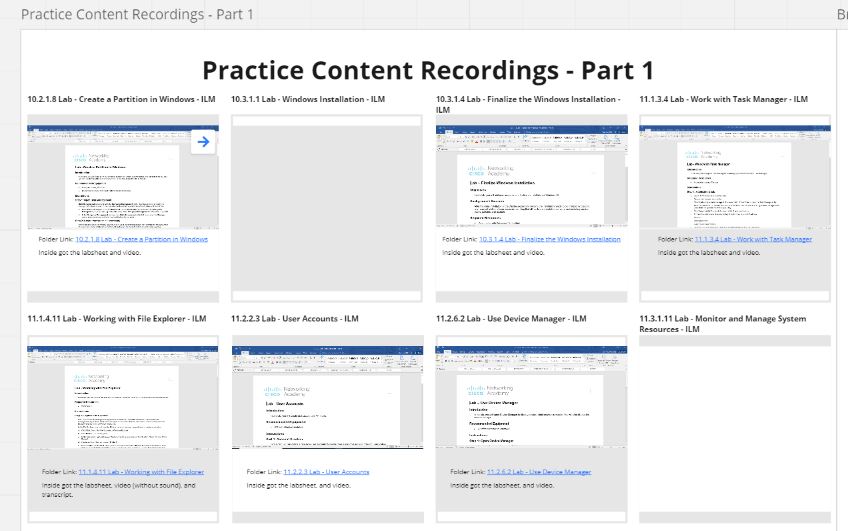
Miro link for this Module. Ref: https://miro.com/app/board/uXjVMYHyTDE=/?share_link_id=6789681483
The storage access of the video recordings is actually in your Class’ Teams channel “QH2301B – Knowledge Seekers” -> Under Sub-Channel “Year 1 Term 2 – Operating System Essentials” -> Select “Files” tab -> “1. Practical – Labs” folder.
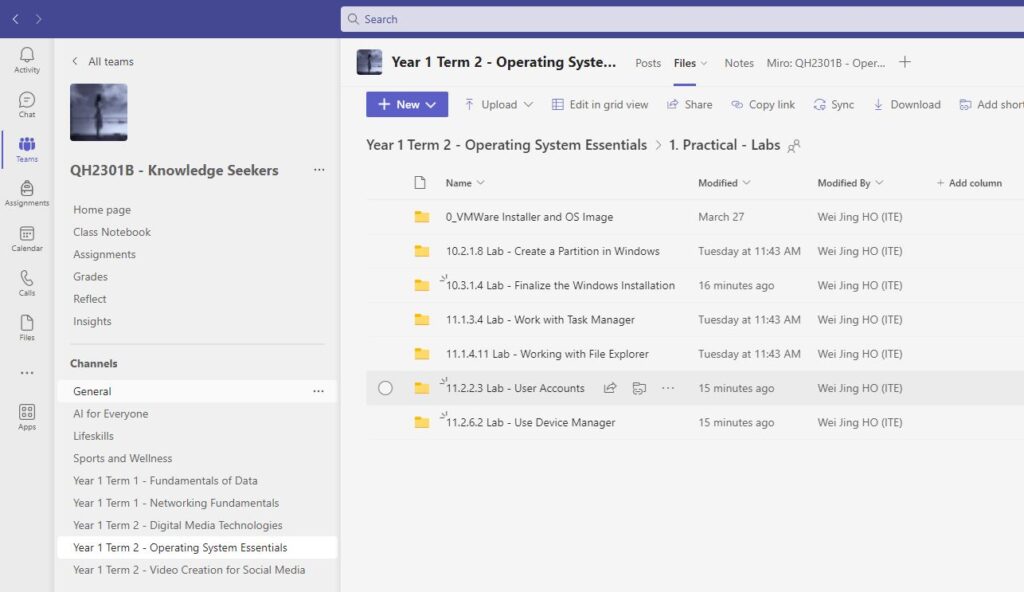
Link to the class teams. Ref: https://teams.microsoft.com/l/team/19%3aH4R2JwWDEOpZj2LrZHlHRxLo-KseQi96zhZT7wYma2Q1%40thread.tacv2/conversations?groupId=6989db72-1a97-4565-ada1-ab1d315bbc9f&tenantId=13b42c8c-cbcf-4e3d-9d20-f55b7b5ee3c1
As I am rushing for time, some videos may not have sound, but only show the sequence of application manipulations/configurations.
Anything not sure when doing the labs -> First try to think on your own first to see if you can find the answers in your lecture notes, labsheets or internet. If not then drop me a message and we schedule a consultation session.